Tips for Creating a Cozy and Productive Home Office Space
Creating a home office that feels both cozy and productive is essential for anyone working remotely or spending extended hours at their desk. A well-designed space not only makes work more enjoyable but can enhance focus, reduce stress, and improve overall efficiency. Whether you have a dedicated room or just a small corner, the following tips will help you set up a home office that balances comfort and functionality.
Choose the Right Location
Finding the best spot in your home to set up your office is the first step.
– Quiet and Private: Aim for a place with minimal distractions. A quieter room or a corner away from household traffic is ideal.
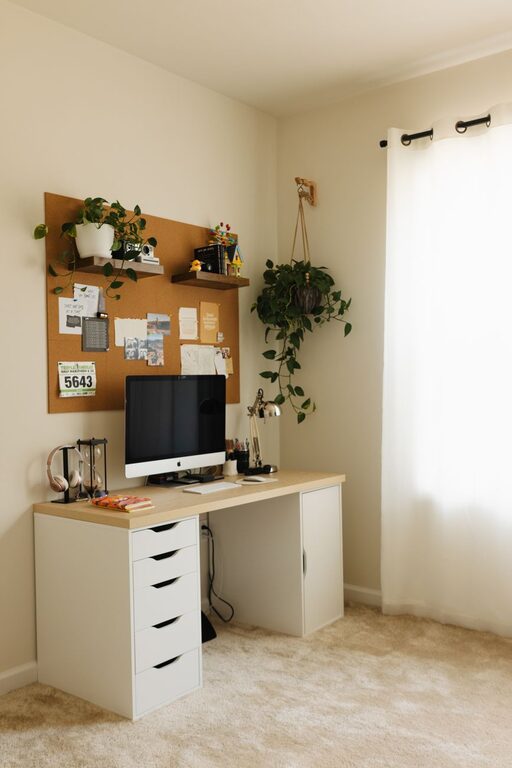
– Natural Light: Position your desk near a window if possible. Natural light boosts mood and reduces eye strain.
– Space Availability: Make sure there’s enough room for your essential equipment and some movement. Cramped spaces can feel uncomfortable over time.
Invest in Comfortable and Ergonomic Furniture
Comfort plays a big role in productivity.
– Desk: Select a desk with enough surface area for your computer, paperwork, and accessories without clutter.
– Chair: Choose an ergonomic chair that supports your back and encourages good posture. Adjustable features like height and lumbar support can make a difference.
– Accessories: Consider a footrest, wrist supports, or a stand for your laptop or monitor to keep your body aligned properly.
Organize to Minimize Clutter
A tidy space helps keep your mind clear.
– Storage Solutions: Use shelves, filing cabinets, or storage boxes to keep documents and supplies organized.
– Keep Essentials Handy: Store frequently used items within easy reach to avoid unnecessary interruptions.
– Cable Management: Use clips, sleeves, or cable boxes to keep cords under control and prevent tangling.
Personalize Your Space
Adding personal touches makes your office inviting and motivating.
– Decor: Plants, artwork, or photos can brighten your workspace and provide inspiration.
– Color Choices: Soft, calm colors tend to promote focus, but a pop of your favorite color can energize you.
– Lighting: Use a combination of ambient lighting and task lighting. A desk lamp with adjustable brightness helps reduce eye strain during late hours.
Create a Routine-Friendly Setup
Make your space support your daily habits.
– Designate Zones: If space allows, separate areas for different tasks, such as a reading nook or brainstorming corner.
– Keep a Whiteboard or Planner: Visual reminders and to-do lists keep you organized and on track.
– Minimize Distractions: Turn off unnecessary notifications and keep your phone away unless needed for work.
Incorporate Technology Wisely
Technology should help, not hinder, your workflow.
– Reliable Internet: Ensure you have a strong Wi-Fi connection or use an Ethernet cable for stable access.
– Quality Equipment: Invest in a good monitor, keyboard, and headset to increase comfort and efficiency.
– Backup Plans: Have a surge protector and backup storage options to protect your work.
Take Breaks and Move
Even the coziest office doesn’t replace the need to move and refresh yourself.
– Set Reminders: Use timers to prompt regular breaks for stretching or short walks.
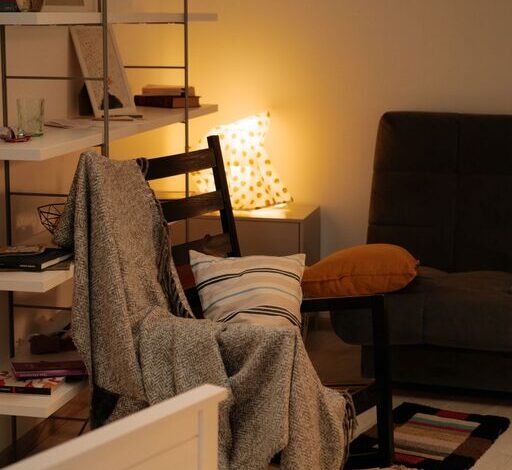
– Create a Relaxation Spot: If possible, keep a comfortable chair or cushions nearby for quick mental breaks.
– Add Movement Tools: Consider a standing desk or a balance ball chair to vary your posture throughout the day.
Final Thoughts
Designing a home office that is both cozy and productive takes some planning, but even small improvements can make a big impact. Focus on comfort, organization, personalization, and supporting your natural work rhythm. With the right setup, your home office can become a space where you’re motivated, comfortable, and ready to tackle the day’s tasks.