
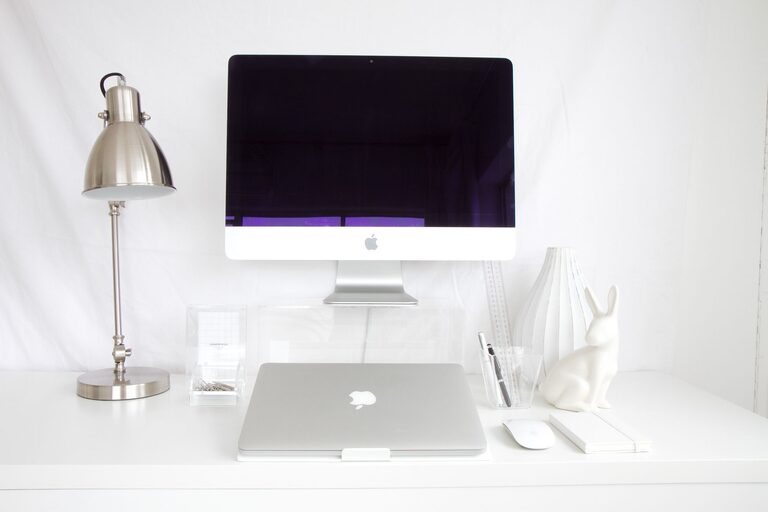
Tips for Organizing a Clutter-Free Home Workspace
Creating a clutter-free home workspace is essential for maintaining focus, productivity, and a positive mindset during your workday. Whether you have a dedicated office room or just a small corner in your living space, organizing your area effectively can make a significant difference. Here are some practical tips to help you build and maintain a tidy and efficient workspace at home.
Why a Clutter-Free Workspace Matters
A messy workspace can increase stress levels and make it harder to concentrate. When everything is scattered or piled up, finding what you need takes more time, leading to frustration. A clean and organized workspace creates a calm environment that promotes creativity and efficiency.
Start with a Clean Slate
Before organizing, take everything off your desk and surrounding surfaces. This fresh start allows you to see exactly what items you have and decide what truly belongs in your workspace. Clean your desk thoroughly to remove dust and grime—this simple step can make your space feel like new.
Categorize and Declutter
Sort your items into categories such as stationery, documents, electronics, and personal accessories. Be honest about what you actually use daily. Consider donating or discarding items that are outdated, broken, or no longer necessary. Less stuff means less clutter.
Use Smart Storage Solutions
Desk Organizers
Invest in desk organizers like trays, pen holders, and drawers to keep small items neatly arranged and easy to find. This helps prevent items from spreading all over your desk.
Shelving and Cabinets
If space allows, add shelves or cabinets near your workspace. Use labeled boxes or baskets to store supplies and papers. This keeps items out of sight but accessible when needed.
Cable Management
Tangled cables create visual clutter and can be a safety hazard. Use cable clips, sleeves, or ties to bundle wires neatly behind your desk or along walls.
Maintain a Paper-Free Approach
Paper can quickly pile up and create chaos. Whenever possible, switch to digital documents and note-taking apps. Scan important papers and store them electronically. If you must keep physical documents, use a filing system with clearly labeled folders and purge regularly.
Create a Daily Reset Routine
At the end of each workday, spend a few minutes tidying your workspace. Put away supplies, file documents, and clear your desk surface. A daily reset helps keep clutter under control and sets a positive tone for the next day.
Personalize Wisely
Personal touches can make your workspace feel inviting, but too many items can contribute to clutter. Choose a few meaningful decorations like photos, plants, or artwork, and rotate them occasionally to keep your space fresh and inspiring.
Optimize Lighting and Comfort
Good lighting reduces eye strain and improves focus. Use natural light when possible, and add desk lamps with adjustable brightness. Additionally, organize your chair and desk setup to support good posture and comfort, making long work sessions more pleasant.
Tips for Small Workspace Organization
If your workspace is limited in size, prioritize vertical storage and multipurpose furniture. Wall-mounted organizers, pegboards, and fold-away desks can help maximize your area without adding clutter.
Stay Consistent
Organizing your workspace is an ongoing process. Set aside time each week or month to reassess your setup, clean, and reorganize as needed. Consistency is key to maintaining a clutter-free environment.
—
By following these tips, you can create a home workspace that supports productivity, reduces stress, and makes working from home more enjoyable. Remember, a well-organized workspace is a cornerstone of effective work habits, so take the time to tailor your space to your needs and preferences.
